I’ve always been fascinated by long Canon and Nikon DSLR tele primes, but I’ve never liked their size and weight. I’ve tried many ways around it to get a smaller, more portable tele prime setup, but so far without luck. Here are some of the options I’ve covered so far:
The perfect small tele prime setup
- Canon DSLR with the Canon EF 300mm f2.8: The classic setup and probably the best professional option, but personally I don’t enjoy carrying big equipment, and I don’t like DSLRs.
- Sony A7/A9 camera with a fast tele lens. I tried the Sony 70-200mm f2.8, but it’s a bit too much for me, and the Sony 400mm f2.8 is insanely expensive. Sony has the most advanced technology I’ve tried, but I don’t really enjoy using the cameras, and I don’t like the “color science”.
- Sony A7/A9 camera with the Minolta AF 200mm f2.8 on an A-mount adapter, check my review here. Not a viable option – too slow and unreliable.
- Fujifilm X camera with the Fringer adapter and Canon EF lenses like the Canon EF 135mm f2, check my review of the setup here. The autofocus isn’t great, and somehow the images don’t look good. Not an option.
- Fujifilm X camera with the Fujifilm XF 200mm f2: Big and expensive, but maybe the next setup to try?
- Canon EOS R mirrorless with an adapted 200mm f2.8, 200mm f2.0 or 300mm f2.8. Still a pretty big setup, and not cheap.
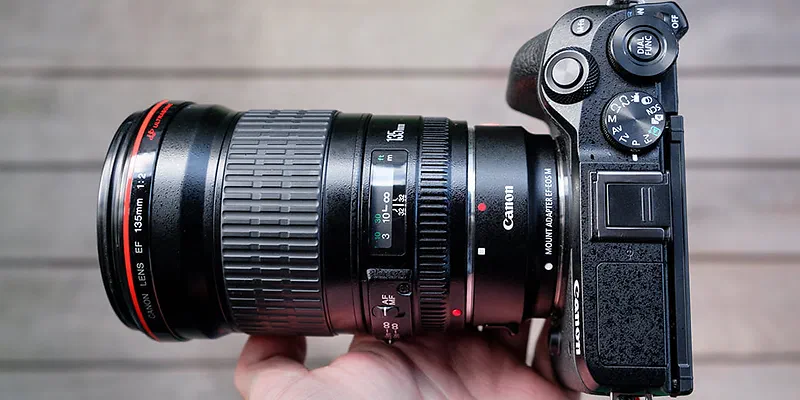
So my new idea was to get a small Canon M6 and mount the Canon EF 135mm f2 L USM on it using the Canon EF-M to EF adapter. I got Canon’s own version of the adapter (there are also third-party versions) and bought the camera and lens used: 350 euro for the camera and 520 euro for the lens (pretty cheap, I think). I also got a few native EF-M lenses to test.

Canon EOS M6
I know it’s an older camera and that there’s a new Mark II version now. But I wanted to try this one first to see if it had what I needed.
Pros:
- First of all, it’s very cheap used.
- I love the colors of this camera. They’re the classic Canon colors we all know and love. Maybe a little too boring, but I still think they’re great.
Cons:
- It’s slow to use. The screen’s refresh rate and the autofocus mean this camera isn’t good for fast-moving subjects.
- Video is terrible – don’t even bother. I even installed the CineStill video profile in the hope of getting more out of it, but nope.
- I thought the M50 and M6 were almost identical, but the M6 seems to have a weaker processor and runs the same low-end firmware as the PowerShot cameras. That’s probably the reason for my big disappointment.
- The ergonomics and build quality feel cheap. It’s not a camera that inspires you to go out and take photos.
- Image quality is a little soft.
I got some photos I really love with this camera, but all in all it still lacks something, especially because of the slow autofocus. I decided to sell it and buy the newer version, the Canon EOS M6 Mark II.
2023 Update: I bought the Canon EOS M6 again. Of all the Canon cameras I’ve used, this is the one I enjoy the most.
Side note: If you’re considering the Canon EOS 80D, it has the same sensor as the Canon EOS M6. I did a side-by-side test of the two, and the images look identical. The M6 has a newer processor but still seems held back by Canon, e.g. in its video features. For photos, though, I’d pick the M6 over the 80D because of its small size.

Canon colors
There’s just something about the colors that come out of Canon cameras. People like Tony Northrup will try to make a scientific test to show that there’s no difference. But in my opinion, when I look at my photos full screen and uncompressed on my 1440p monitor, the difference between camera manufacturers is huge. And I can’t recreate one camera’s look with another. For example, when I shoot Sony I never see the color brown – I see red, orange or grey. But with Fujifilm and Canon I do.
If you apply heavy color grading to all your photos, or if you only use your photos for social media, it won’t matter. But if you like to enjoy your photos on a big monitor and want a more natural look, I do think color science matters. I love Canon for the bright greens on a sunny day or the brownish greys on a cloudy winter day. And I like Fujifilm for the navy blues on a snowy winter day or the golden yellows during golden hour.

Canon EOS M6 Mark II
Pros:
- Fast autofocus tracking. Object tracking works great.
- The 32 megapixels do make a difference. Compared to the Mark I, the Mark II captures much more detail. It might be sharper (zoomed in), but the images look flatter and more lifeless, with less micro-contrast (maybe because of the lenses).
- Small camera (same as the Mark I).
- Lots of great old EF lenses to adapt (same as the Mark I).
Cons:
- Uninspiring – once the honeymoon was over, this camera became very uninspiring. Between the design of the camera and the look of the photos, I started to miss my Fujifilm cameras.
- Canon changed the color science for this camera. The magic Canon color is gone, and I’ve heard other people report the same thing about newer Canon cameras.
- Not many native EF-M lenses (same as the Mark I), and the ones that exist are low-end. This is the biggest flaw of the EF-M mount cameras.

Canon EF 135mm L USM + Canon EF-M to EF adapter
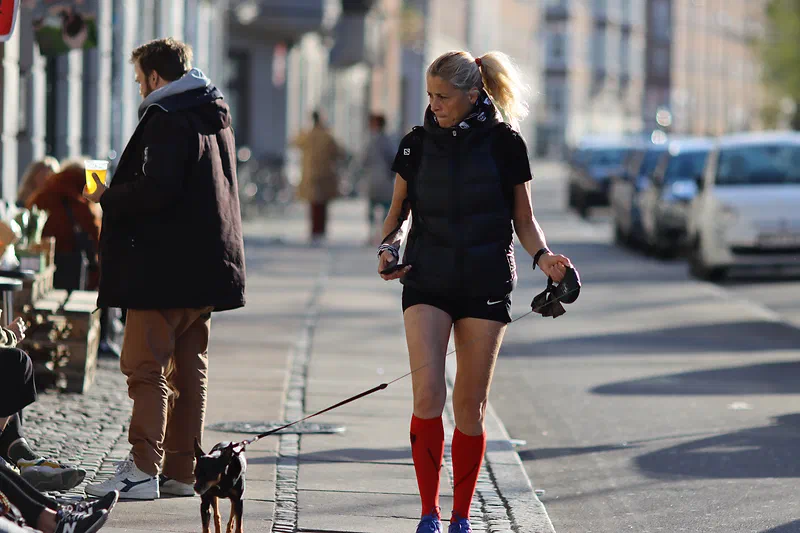
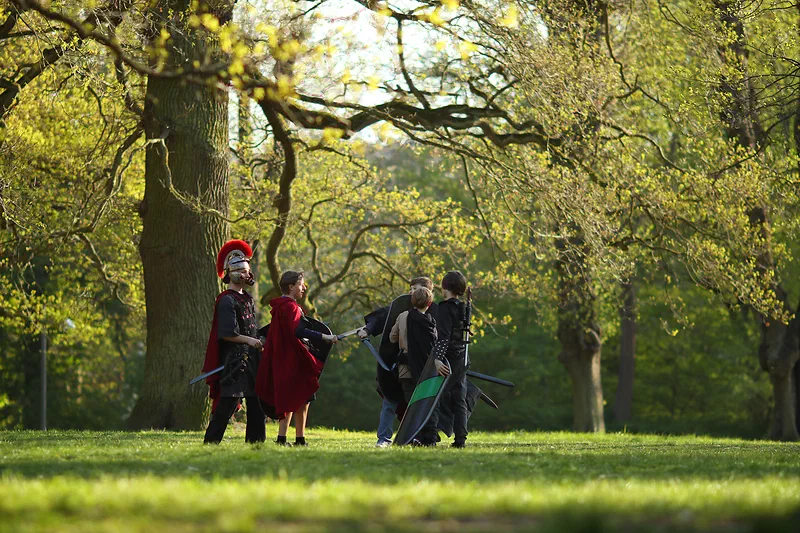
This is a great fast tele prime setup. The Canon M6’s APS-C sensor has a 1.6x crop factor, which makes this a 216mm equivalent on full frame. It’s great because you can carry it around without noticing it, and people won’t notice you either, which makes it fun to bring along.
Pros:
- Sharp lens: The Canon EF 135mm f2 L USM is an old lens from 1996, from before digital cameras were made. But don’t be fooled – it’s the 3rd highest scoring Canon EF lens on DxoMark.
- Cheap: Because the lens is old and the EF mount is slowly dying, it’s also very cheap and easy to find used.
- The EF adapter works great with the Canon M6 Mark II. Very snappy, just like a native lens.
Cons:
- Too much chromatic aberration – often more than your photo editor can remove without ruining the image.
- Flat images with low micro-contrast. It’s a little disappointing, since I’ve always heard good things about this lens. I’m realizing more and more how important micro-contrast is to me. With a very clinical lens, it feels like you’re just documenting reality. With a lens that has more character, you’re creating an interpretation of what you see.

Canon EF-M 22mm f2 + 18-55mm f3.5-5.6 IS
I also wanted to try some native EF-M lenses, so I got the Canon EF-M 22mm f2 and the Canon EF-M 18-55mm f/3.5-5.6 IS.
The Canon EF-M 22mm f2 is very small, and the size is a big plus. The 22mm almost turns the M6 into a Fujifilm X100-series camera. But the image quality is a little uninspiring, and I couldn’t see much difference compared to the zoom lens.
The Canon EF-M 18-55mm f/3.5-5.6 IS is also a small lens. It’s very cheap used – I got mine for 50 euro. Like other Canon and Nikon kit zooms, it has a slow aperture and low image quality. It’s still nice to own if you can get it cheap.

Conclusion
The EF-M cameras are a bizarre system. Canon has almost no native lenses for it, so you depend on EF lenses, which are very big. The cameras are very consumer-oriented and very uninspiring.
Still, they have some great features and advantages, e.g. the colors of the Canon M6 (Mark I) or the autofocus speed of the Canon M6 Mark II.
The Mark II with the EF 135mm f2 is a great combo, but there’s just something lacking in the images.
If you already own Canon gear, this could be an option. Otherwise, I’d go for Fujifilm if you want a small camera setup.
More photos